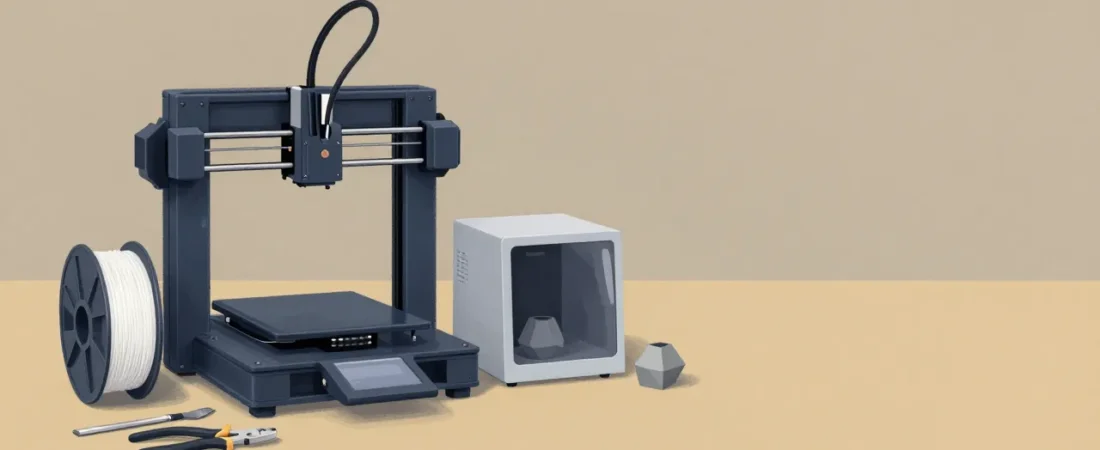
Spec sheets will tell you layer resolution, build volume, and maximum print speed. They will not tell you whether the person you’re buying this for will still be printing in February. The machines that look impressive on paper are sometimes the ones that sit on a shelf after the third failed print, the second manual bed leveling session, or the first time someone asks themselves whether this hobby is worth it.
Buying a 3D printer for a beginner is a retention problem disguised as a hardware decision. The right printer gets them to a successful first print within two hours of unboxing, keeps the calibration invisible, and runs quietly enough that it doesn’t become a household conversation. The wrong printer — even a technically capable one — turns the first month into troubleshooting, and most people don’t come back from that.
This guide focuses on one criterion above all others: first-month experience. Every pick was evaluated on how little friction stands between the unboxing and a completed, correct-looking print. Price is a real factor, but “cheapest” is the most dangerous way to shop in this category.
How we select these gifts
- Community consensus first: We cross-referenced what r/3Dprinting, r/ender3, and the Printables forum community consistently recommend for first machines — not what brands promote. Products that appear repeatedly across independent hobbyist recommendations get the heaviest weight. The Ender 3 V3 SE has been r/3Dprinting’s most-recommended sub-$250 pick for three years running; that kind of durability means something.
- Editorial validation: We checked major hardware publications — Tom’s Hardware named the Bambu Lab A1 Mini its Editor’s Choice for beginner 3D printers; Popular Science named the Bambu Lab A1 its best multi-color beginner pick. Third-party editorial recognition from reviewers who test machines hands-on carries weight we don’t discount.
- Stage fit: Every pick is evaluated specifically for someone in their first three months. That means: auto bed leveling is non-negotiable, assembly time under one hour is preferred, the default slicer software works without configuration, and the machine ships with enough sample filament to complete a first print. Machines that require third-party firmware, significant manual calibration, or advanced material knowledge are excluded regardless of their ceiling.
- Budget range: Picks span $219 to $349.99 so the guide works whether you’re spending $220 or $350. Accessories add $22–$45 each.
- Skip-this guidance: Where a category sounds beginner-appropriate but isn’t — resin printers being the clearest example — we name it directly and explain why.
What Makes a 3D Printer Actually Beginner-Friendly (and What Marketing Won’t Tell You)
Four axes determine whether a beginner’s printer will succeed or frustrate — and marketing copy obscures all four. The first is bed leveling. Manual bed leveling requires adjusting four or more thumbscrews by feel, re-running a test, readjusting, repeat. It takes 20–40 minutes when you know what you’re doing. For a beginner who doesn’t yet have calibrated intuition, a failed print looks identical whether it’s a leveling problem, a temperature problem, or a filament problem. Auto bed leveling — specifically the CR Touch-style probes on budget machines and the full-auto multi-point mesh leveling on Bambu machines — removes that variable entirely.
The second axis is extruder type. Direct drive extruders (motor sits directly above the hotend) handle flexible and abrasive filaments better and retract more precisely. Bowden extruders (motor sits on the frame, filament fed through a tube) are lighter but introduce flex and delay that complicates dialing in. For a beginner printing PLA: direct drive is the right call. All four printer picks here use direct drive.
Third: enclosed vs open frame. For PLA — the only filament a beginner should touch in month one — an open frame machine is fine. PLA doesn’t warp significantly from ambient temperature. If the recipient has any stated interest in ABS, ASA, or engineering-grade materials, an enclosed printer becomes relevant. Enclosures hold heat, which is what ABS needs to not delaminate. We have one enclosed pick specifically for that person.
Fourth: assembly. Fully pre-assembled machines (Bambu Lab line) mean the first print starts in under 20 minutes. Machines that ship 80% assembled (Ender 3 V3 SE) take 30–45 minutes and require a few tool tightening steps. Full kit builds — where you assemble the frame from scratch — are for a different kind of learner, and none of those appear here. The “cheapest FDM kit” category usually means a worse first experience than a $219 pre-built.
The First Print Experience — Why It Defines Whether the Hobby Sticks
In the first 48 hours after unboxing, a beginner will encounter: physical setup, slicer software configuration, model sourcing, and their first print attempt. How that sequence goes is predictive. If all four steps complete without significant friction, the hobby almost certainly continues. If any step stalls — particularly the first print — attrition is high.
On slicer software: Bambu Lab’s own Bambu Studio is the most beginner-accessible slicer currently available. It auto-detects the connected printer, has sensible defaults for every Bambu machine, and requires almost no configuration to get a first print queued. For non-Bambu machines, OrcaSlicer (a Bambu Studio fork with broader printer support) is the current community recommendation over Cura, which has grown increasingly complex. The gifter doesn’t need to install this ahead of time — but knowing the software name means you can write it on a card with the box.
For free models: Printables.com (Prusa’s model hub, well-moderated) and Thingiverse are the two starting points. MakerWorld is Bambu Lab’s own model hub and is tightly integrated with Bambu Studio — for Bambu owners, it’s the easiest on-ramp. A beginner can find 500,000+ free printable files across these three platforms on day one.
On filament: PLA only, in month one. PLA prints at 200–220°C, requires no enclosure, has low warping, is forgiving of first-layer inconsistencies, and is available in 30+ colors. ABS prints at 240°C and warps severely on open-frame printers. Flexible TPU requires slow print speeds and deliberate retraction tuning. Resin requires personal protective equipment, ventilation, a UV curing station, and hazardous waste disposal. The most common gifter mistake is buying “exotic” filament — ABS, flexible TPU, silk PLA blends, or resin — alongside a first machine. Buy the machine; buy one spool of Hatchbox white or gray PLA. Let the recipient choose their next spool.
Our Picks — Best 3D Printers for Beginners by Budget
Three budget tiers, four machines. Each is evaluated on first-print experience, not top-speed benchmarks. For most gift scenarios, the Bambu Lab A1 Mini is the correct default. The others serve specific recipient profiles described below each card.

Bambu Lab A1 Mini
The A1 Mini runs full-auto 49-point mesh bed leveling before every single print — without being asked. Setup from box to first print takes under 20 minutes. The Bambu Studio slicer auto-detects the machine, pre-populates settings, and has a one-click print button that actually works. At 48 dB during operation, it’s quiet enough for a home office or bedroom. Tom’s Hardware named it Editor’s Choice for beginner 3D printers, and the 4.6-star average across 1,800 Amazon reviews reflects a machine that consistently delivers what it promises. The 180×180mm build plate is smaller than competitors at this price — most first objects fit comfortably, but large prints require planning or splitting.
- Full-auto calibration before every print — no manual intervention
- Bambu Studio slicer is the most beginner-friendly software available
- Wi-Fi enabled with companion app for remote monitoring
- 48 dB quiet; won’t drive anyone out of the room
- 180mm build plate is the smallest in this guide — limits larger single-piece prints
- Open frame restricts materials to PLA, PETG without enclosure add-on
The Creality Ender 3 V3 SE sits at the opposite end of the philosophy spectrum from Bambu. It’s the community’s most-recommended budget machine because it’s honest about what it is: a capable open-frame FDM printer that rewards learners who want to understand the craft, not just consume prints. Expect 30–45 minutes of setup, occasional manual tinkering, and a Creality Print or OrcaSlicer workflow that requires slightly more attention than Bambu Studio. The payoff is a larger community, more repair documentation than any other machine in this category, and $80 in savings over the A1 Mini.

Creality Ender 3 V3 SE
The Ender 3 V3 SE has been the default recommendation on r/3Dprinting for sub-$250 machines for three consecutive years — not because it’s flawless, but because the community has debugged every issue it can have and documented the fix. CR Touch auto leveling means bed leveling is no longer a manual ordeal. The direct drive extruder handles PLA, PETG, and TPU without the retraction headaches of older Bowden setups. At 220×220×250mm, the build volume is larger than the A1 Mini and adequate for most beginner projects. The right pick for someone who wants to learn the machine, not just use it.
- Largest community support and troubleshooting documentation of any machine here
- 220×220×250mm build volume — more room than the A1 Mini at lower cost
- CR Touch auto leveling removes the most common beginner frustration
- 30–45 min setup; occasional manual intervention expected over time
- Open frame; no Wi-Fi (USB/SD card only)
The Elegoo Centauri Carbon is the least-obvious pick in this guide and the most interesting one. For $289 — $10 less than the A1 Mini — it is fully enclosed, CoreXY motion system, with a 256×256×256mm build chamber and one-click auto calibration. That enclosure is meaningful: ABS and ASA, which notoriously warp on open-frame machines, print reliably in an enclosed environment. For a beginner who is clearly a maker type — someone building functional parts, drone components, or anything that needs heat resistance or higher layer strength — this printer grows with them in a way open-frame machines cannot. The tradeoff is a younger community (420 reviews vs 3,200 for the Ender 3) and a 20-minute calibration sequence on cold starts.

Elegoo Centauri Carbon
Fully enclosed at entry-level pricing is genuinely rare, and the Centauri Carbon pulls it off with a CoreXY motion system and a 256mm cube build volume that beats both Bambu picks on internal space. The one-click auto calibration handles bed leveling without user intervention. Wi-Fi and Ethernet connectivity cover both home and workshop environments. For the maker-minded beginner who will inevitably want to print ABS for functional parts or ASA for outdoor use, this is the only machine in this price band that won’t require a second printer within a year. The 420-review count reflects how new this machine is — not a quality concern, but fewer tutorial videos exist compared to the Bambu or Ender ecosystems.
- Fully enclosed — handles ABS, ASA, and engineering-grade filaments without enclosure upgrades
- 256×256×256mm build volume — 60% more than the A1 Mini
- CoreXY motion system enables faster, more accurate prints
- Wi-Fi and Ethernet connectivity
- 20-minute calibration sequence on every cold start
- Smaller community means fewer tutorials and troubleshooting threads
The Bambu Lab A1 is the A1 Mini with a 256mm frame, AMS Lite compatibility for 4-color printing, and the same full-auto calibration system. Popular Science named it the best multi-color 3D printer for beginners. If the recipient is the type who immediately wants to push further — multi-color prints are a specific kind of dopamine — or if you know they’ll want a larger build volume within three months, the $50 step-up over the Mini is justified. At $349.99, the Elegoo Centauri Carbon costs less and offers enclosure, so the A1 is the right call specifically for buyers committed to the Bambu ecosystem.

Bambu Lab A1
Everything that makes the A1 Mini the default recommendation applies here — full-auto calibration, Bambu Studio, Wi-Fi, 48 dB operation — at a 256mm build volume and with AMS Lite compatibility built in. AMS Lite enables up to 4-color prints without a separate upgrade purchase; when the recipient is ready to level up, the hardware is already there. Popular Science selected it as their best multi-color beginner pick. The 4.6-star average across 950 reviews is consistent with the Mini’s track record. Open frame is still the limitation: ABS remains off the table without an enclosure add-on.
- AMS Lite compatible — 4-color printing upgrade path without replacing the machine
- 256mm build volume; handles larger prints comfortably
- Same Bambu Studio ecosystem as the Mini — zero learning curve difference
- Open frame — no ABS/ASA without enclosure add-on
- At $350, costs more than the Elegoo Centauri Carbon, which offers enclosure and equivalent volume
What to Bundle With the Printer — Accessories That Actually Matter
Three items are worth adding to the gift. Everything else — the “74-piece deluxe starter mega kit” generic bundles on Amazon — pads the box with tools a beginner won’t need for six months and won’t know how to use when they do. Skip those bundles.
Filament first: one spool of Hatchbox PLA is the correct first filament for every machine on this list. Don’t buy ABS, TPU, carbon fiber, or silk PLA. Don’t buy the house-brand filament that sometimes ships with the printer. Hatchbox has been the community’s default first-spool recommendation for five consecutive years because its dimensional accuracy (±0.03mm) means prints dial in without fighting the filament. Pick white or gray — neutral colors make it easiest to see surface defects when learning.
A basic tool kit matters more than it sounds. After a successful print, the first thing a beginner needs is a scraper to get the print off the bed and flush cutters to remove support material. The Creality 74-Piece Tool Kit Pro includes the specific tools that actually get used in the first week: two steel scrapers, flush cutters, tweezers, nozzle-cleaning needles, and a deburring tool. The roll-up bag keeps them together.
A filament dryer is the accessory that forum veterans uniformly wish they had in week one. Moisture-absorbed filament causes stringing, bubbling, and surface defects that look exactly like a machine calibration problem — beginners spend hours debugging a calibration issue that is actually a wet filament issue. The SUNLU FilaDryer S2 actively dries at up to 70°C, shows real-time humidity so you can see progress, and allows printing directly from the dryer while drying is active. At $44.99, it’s not a glamorous gift but it prevents the most common invisible failure mode in home 3D printing.

Hatchbox PLA Filament 1.75mm 1kg
Hatchbox has been the community’s default first-filament for five years because it’s consistent. The ±0.03mm dimensional accuracy means the printer’s default settings work without fighting the material. 52,000 Amazon reviews at 4.7 stars is a signal size you don’t see often in this category. Buy one spool in white, gray, or black — neutral colors show surface quality better when you’re learning. Available in 30+ colors for when they want to branch out.
- Tight dimensional accuracy — prints dial in fast without material variability fighting the process
- 30+ colors; consistent batch-to-batch quality across spools
- 52,000 reviews — the most field-tested filament at this price point
- PLA only — not for high-temp or engineering applications (which is correct for month one)

Creality 74-Piece 3D Printer Tool Kit Pro
The tools a beginner actually reaches for in the first five minutes after a successful print: two steel bed scrapers for different print sizes, flush cutters for support removal, tweezers for stringing cleanup, nozzle-cleaning needles for the inevitable clog, and a deburring tool for finishing edges. The roll-up bag keeps the set together in a drawer. 1,100 reviews at 4.5 stars. Most of the 74 pieces will stay in the bag for months — the five tools above do 90% of the early work.
- Includes the specific tools that matter immediately: scrapers, flush cutters, tweezers, cleaning needles
- Roll-up bag keeps everything contained and accessible
- Most of the 74 pieces won’t be used in the first few months — buy it for the core five tools, not the count

SUNLU FilaDryer S2
Wet filament causes stringing, bubbling, popping sounds during printing, and surface defects — all of which look like machine calibration problems. Beginners spend hours diagnosing a “calibration issue” that is actually humidity absorbed into the filament spool. The FilaDryer S2 dries actively at up to 70°C, displays real-time humidity so you can see it working, and lets you print directly from the dryer while drying is in progress. The 3,800 reviews at 4.5 stars reflect a product that earned its community reputation through consistent performance. It’s the one accessory forum veterans consistently wish they had bought in week one rather than month three.
- Active drying at up to 70°C — handles PLA, PETG, and ABS filament
- Real-time humidity display; print-while-drying passthrough
- Eliminates the most common invisible failure mode for beginners
- $44.99 is a meaningful add-on to an already $219–$350 printer purchase; prioritize the printer first if budget is tight
What to Skip — Gifts That Sound Great But Belong at Level Two
Resin printers: save them for year two
Resin printers (MSLA/SLA) produce stunning detail — dental-grade miniatures, jewelry models, precision mechanical parts — but they are the wrong first machine for anyone without a dedicated ventilated workspace, a UV curing station, nitrile gloves, and a plan for disposing of hazardous liquid resin and isopropyl alcohol. The setup requires a workflow that experienced makers treat as a separate craft. Gifting a resin printer to a beginner who expects the experience to resemble an FDM machine produces a bad first chapter and a safety hazard. If the recipient specifically asked for resin, they already know what they’re in for. Otherwise, wait until they’ve asked.
Multi-material upgrades bought separately before the recipient has printed their first 50 hours belong in the same category. The Bambu AMS system and its equivalents are compelling, but they require a solid understanding of single-material printing to troubleshoot. Buying a standalone multi-material unit for someone who hasn’t calibrated a first-layer height is solving a problem they don’t have yet.
High-temperature filaments — ABS, ASA, nylon, polycarbonate — are wrong for month one on any open-frame machine in this guide. ABS warps severely on open-frame printers without active enclosure temperature control. Nylon absorbs moisture faster than almost any other material and requires a dry box to print reliably. These are not beginner materials; they are second-year materials for someone who already understands their machine’s behavior in PLA.
Finally: fully unassembled kit builds. They exist, they’re cheaper, and they are the right choice for a specific kind of learner who wants to understand the mechanics from the ground up. They are the wrong choice as a gift unless the recipient has explicitly said they want to build a printer from scratch. The assembly process is rewarding for the right person and a three-hour obstacle for everyone else.
The Upgrade Path — What Your Recipient Will Want Next
After 50–100 logged print hours, a beginner starts developing opinions about their machine’s limits. Build volume becomes real — they’ll want to print something larger than their current plate allows. Color becomes interesting — single-color objects feel limiting once they’ve seen what multi-material systems can do. Storage becomes practical — a pile of partially used filament spools left in the open accumulates moisture and starts printing inconsistently.
The natural progression: multicolor first (AMS Lite for Bambu users, the A1 step-up if they started on the Mini), then a dedicated dry storage solution (the FilaDryer S2 if they skipped it initially, or a larger Polymaker PolyDryer for multi-spool storage), then a larger enclosed CoreXY machine if they want to print engineering materials. Both are second-year machines, not first.
HobbyRamp publishes dedicated guides for each of those stages. When your recipient has logged enough hours to have specific questions — “should I upgrade the hotend or buy a second machine?” — that’s the right moment for the next guide, and we’ll have it ready.
The beginner who opens the right printer in April is designing their own objects by June. That is not hyperbole — it is the typical trajectory when the first-print experience goes well. The machines in this guide were selected specifically because they give that trajectory the best odds. One successful print is the entire argument for this hobby. Pick the machine that makes that first print as close to inevitable as hardware allows.
If you are deciding between two picks and genuinely unsure, apply one rule: if the recipient has expressed any frustration with technology setup in other contexts, choose the Bambu A1 Mini. Its calibration is invisible, its software is straightforward, and it does not ask for troubleshooting in week one. If the recipient is someone who reads instruction manuals for fun and would rather understand the machine than be abstracted away from it, the Ender 3 V3 SE will serve them better long-term. Both paths lead to the same creative capability — the right choice is the one that matches how this specific person learns.