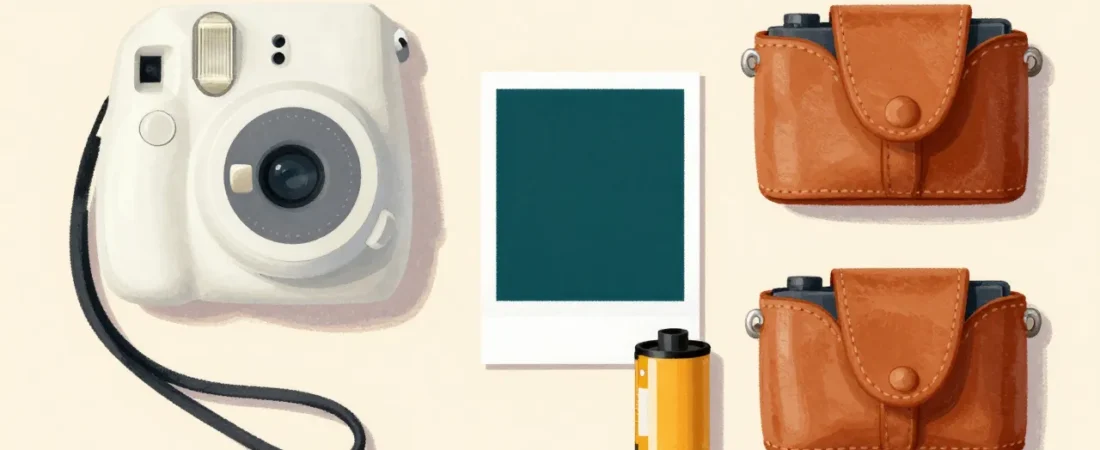
You bought the toddler camera that had a shutter button on each side, a 1.3-megapixel sensor, and a viewing screen roughly the quality of a 2003 Nokia. It lived in the toy bin by week two — not because your child lost interest in cameras, but because nothing about it completed a satisfying loop. Nothing happened that a three-year-old could see, hold, or give to someone.
At ages 2–5, two things determine whether a camera actually gets used: the shutter has to be a single, dominant, obvious button a small hand can find without looking, and something physical has to appear within seconds of pressing it. A digital file on an SD card means nothing to a child who cannot yet read a filename. A printed photo they can immediately hand to a grandparent, stick on the refrigerator, or carry around in a pocket closes the feedback loop that makes photography meaningful at this age.
This guide focuses specifically on instant-print cameras that work within those two constraints — with honest notes on what each sacrifices, what each costs per print, and where the age fit breaks down.
How we select these gifts
- Specialty retailers first: We start with what national specialty retailers and camera-focused shops actually stock and reorder — including B&H Photo and Adorama, whose buyers have strong financial incentive to move past the initial purchase. Products that earn repeat cartridge sales from the same household clear a higher bar than one-time toy buys.
- Community consensus: We cross-reference retailer inventory against what parents recommend in their own communities — specifically r/toddlers, r/Instax, and parenting forum threads on toddler photography. Products that appear in both signals, especially with repeated mentions of actual daily use, receive the heaviest weight.
- Age and stage fit: The 2–5 age range spans significant developmental variation. A 2-year-old needs near-instant tactile reward and a grip they can manage with both hands. A 4-year-old is beginning to frame shots with intent. We flag every pick with its honest floor age and explain why — a product rated 4.5 stars across 12,000 reviews can still be the wrong tool for a specific child at a specific age.
- Budget range: Picks span $29.99–$99.99 so the guide works whether you’re spending $30 or $100. Per-print ongoing cost is called out on every printing camera — it matters more than sticker price over a year of use.
- Skip-this guidance: Where a popular pick is wrong for this specific stage, we say so and explain why — including products that appear in the product cards themselves when the age match is conditional.
Why Toddlers 2–5 Are Ready for a Real Camera — Not a Toy One
A 2–3-year-old operates on an attention span of roughly two to five minutes per activity. The feedback loop has to close inside that window. Digital cameras that save to a card and require an adult to transfer files to a screen, or toy cameras that produce a blurred preview that never becomes a tangible object, offer no closure. The child presses a button, nothing satisfying happens, and the camera goes on the floor.
Between ages 3 and 4, children develop what developmental psychologists call representational thinking — the ability to understand that a photograph is a symbol of the real thing it depicts. This is the age when “I took a picture of the dog” becomes genuinely meaningful, not just motor behavior. It is also when handing a photo to someone else and watching their reaction becomes a social reward powerful enough to drive repeated camera use.
By ages 4–5, many children begin intentional framing — holding the camera up, moving it slightly to include or exclude something, waiting for a subject to look. None of this requires professional-grade equipment. It requires a camera where the child has full autonomous control: they decide what to point at, they press the button, they hold the result. Photography at this age supports hand-eye coordination, spatial reasoning, and the Eriksonian developmental task of autonomy — demonstrating competence by producing a real output through independent action.
Toy cameras undercut all of that. When the output is garbage, children sense it. They know the adults around them are not putting the photo on the refrigerator. The camera becomes a prop rather than a tool.
What Makes a Camera Actually Work for This Age Group
The criteria here are narrower than most camera reviews acknowledge, because the user is not you.
One dominant shutter button. It needs to be the largest, most prominent control on the camera body — positioned where a small hand naturally rests when gripping the device with both hands. Cameras designed for adults often place the shutter on the upper right, which requires a thumb or index finger to reach a recessed button. Toddlers grip with their full hand. The button has to meet them there.
On-device printing, no phone required. Any workflow that requires pairing a phone, opening an app, selecting a photo, and hitting print is a workflow that requires an adult. The camera has to print from inside itself, triggered by the child, in under 60 seconds.
Per-print cost low enough for exploratory behavior. A toddler learning photography will take 15–20 shots in a session and want to print most of them. At $1.00 per print that is a $15–20 session cost. At $0.30 per print it is $4.50–6.00. The math matters; it determines whether you let them print freely or start rationing, and rationing is the fastest way to kill a toddler’s interest.
No setup friction per session. If you have to install cartridges, charge a battery, or connect to Wi-Fi before handing it to the child, it will not get used daily. The best cameras for this age are on-and-shoot with minimal adult involvement.
Grip and weight suitable for small hands. A camera that weighs more than roughly 250 grams becomes fatiguing for a three-year-old to hold at eye level. Chunky, rounded bodies with texture grip outperform sleek adult-oriented designs. Drop survival matters — this camera will hit the floor.
The Instant-Print Advantage: Why Toddlers Need the Physical Photo
A JPEG on an SD card is functionally invisible to a child who has not yet developed abstract file-system thinking. Even a photo on a phone screen has to be retrieved by an adult, unlocked, navigated to — the child’s agency ends at the button press. The photo exists somewhere else, controlled by someone else.
A physical print changes the ownership structure entirely. The child presses the button, watches the print emerge, holds it in their hand, and decides what to do with it. They can give it to someone. They can add it to a collection. They can carry it around until it falls apart. This is not a trivial distinction — it is the entire feedback loop that makes the camera worth using again tomorrow.
Cameras with a live LCD preview before printing add a meaningful layer for ages 3 and up: the child can see what they captured before committing a print, which introduces basic evaluative judgment without requiring adult gatekeeping. “Do I want to print this one?” is a real decision a four-year-old can make independently, and making it reduces waste without the adult having to police consumption.
The 4PASS dye-sublimation prints produced by cameras like the Kodak C300R are also physically more durable than Zink (zero-ink) sticker paper or Instax film. They are color-accurate, laminated, water-resistant, and will survive a toddler carrying them around in a pocket for a week. That durability is not an incidental feature — it is what allows the photo to remain meaningful after the initial excitement of printing it.
Our Top Pick: Kodak Mini Shot 3 Retro (C300R)
The C300R earns the top spot because it is the only camera in this price range that puts a genuinely dominant shutter button on a body that also prints full-color dye-sub photos without requiring any adult involvement after initial setup. The shutter button is large, centered, and impossible to mistake for another control. A two-year-old with normal fine motor development can find it and press it without help.
The live LCD preview screen is the feature that separates this from every film-based instant camera for this age group. Before the print is committed, the child sees exactly what they captured. For toddlers 3 and up, this creates a real decision point — they can retake if the dog moved, or print if they are happy. It also means far fewer wasted prints compared to a camera that fires and prints immediately with no preview.
At approximately $0.30 per print using Kodak 4PASS cartridge packs (which print 30 sheets and retail around $9), the per-session cost is manageable for households that want to let toddlers print freely. The 4PASS dye-sub process produces laminated, color-correct prints that are water-resistant — they survive being carried around, taped to walls, and handed to grandparents who will actually keep them.
One parent who evaluated this camera directly noted: “I ended up getting a Kodak C300R and it’s great. The photos are not amazing, but the button is big, easy to press, you can see what the picture is first, then you can print out the photos on the camera itself. The cost of photos is cheaper than most picture printing, and it comes in a gift box with a case and strap.” That captures the evaluation frame accurately — not amazing photos, but a complete and autonomous experience for the child using it.
A word on the 3.7-star Amazon rating across 833 reviews: read the one-star reviews carefully and you will find a consistent pattern. Adults buying this camera for themselves, expecting smartphone-quality photos, are disappointed. Adults buying it for toddlers who want to print their own photos report consistent satisfaction. The rating reflects the wrong use case for this guide. For the actual use case — a 3–5-year-old pressing a big button and holding a print — the camera performs as intended.
The only honest cons: digital backup requires pairing with the Kodak smartphone app via Bluetooth, which is a friction point for households that want to archive the child’s photos. And a small percentage of Amazon reviews mention cartridge jams, particularly when cartridges are not inserted flush. Both are worth knowing.
Other Cameras Worth Considering (With Honest Age Notes)
The C300R is not the right answer for every household. Below are five alternatives ranked by how well they fit the 2–5 age range — with specific notes on where each works and where each breaks down.
Kodak Mini Shot 3 Retro (C300R)
The only camera in this price range that combines a genuinely dominant shutter button with on-camera 4PASS dye-sublimation color printing at roughly $0.30 per print — no phone, no app, no adult required. The live LCD preview lets children 3 and up decide whether to print before committing a sheet, which meaningfully reduces waste and gives the child real agency over the output. Prints are laminated and water-resistant, which matters when a toddler carries them in a pocket for three days. Comes gift-ready with a case and strap included in the box. The 3.7-star Amazon rating is an artifact of adult buyers expecting phone-quality photos — a consistent pattern in parenting forums where toddler-focused buyers report high satisfaction with this exact setup.
- On-camera printing — no phone or app required for printing
- ~$0.30/print, 3–5× cheaper than Instax film
- Color, laminated, water-resistant 4PASS dye-sub prints
- Gift-box packaging with case and strap included
- Digital photo backup requires Bluetooth pairing with Kodak app
- Cartridge jam reports in a subset of Amazon reviews — insert cartridge flush and fully seated
VTech KidiZoom PrintCam
VTech designed this camera specifically for the 3–8 age range, and it shows in the ergonomics: the body is chunky and rounded for a full-hand grip, the shutter button is oversized and tactilely distinct from every other control, and it runs on AA batteries — no charging cable for a toddler to lose or chew. The on-device printer produces black-and-white sticker photos, which are genuinely fun for kids who want to put their photos on notebooks, windows, or their little sibling. Built-in games give it additional session length. With a 4.5-star rating across over 4,200 reviews, it is the most battle-tested purpose-built toddler camera on this list.
- Purpose-built toddler ergonomics — chunky grip, oversized shutter
- AA batteries, no charging required
- Sticker output adds play value beyond the photo itself
- Built-in games extend session value
- Prints are black-and-white sticker paper only — no color, no archival quality
VTech KidiZoom Camera Pix Plus
If your household already has a good photo printer and you are comfortable being the one who handles printing, this camera does the rest of the job well at half the price of the PrintCam. The Camera Pix Plus is rugged, has the same VTech toddler-grade ergonomics, includes fun filters and frames that children in this age range find genuinely engaging, and has a 4.6-star rating across over 8,500 reviews — the highest volume of validation on this list. Zero ongoing consumable cost is a real advantage for households that take a high volume of photos but do not need physical prints from every session.
- Zero ongoing print cost — no cartridges or film
- 4.6 stars / 8,500+ reviews — most validated pick on this list
- Rugged, toddler-grade build quality
- Fun filters and frames engage ages 3–5 well
- No printed output at all — adult must handle any printing separately
myFirst Camera Insta 2
The Insta 2 is the most underrated camera on this list. A 12-megapixel digital sensor paired with a built-in thermal sticker printer gives it two genuinely distinct use modes: take photos for the digital archive at full resolution, or print a B&W sticker on the spot when the child wants something to hold. For families who want both digital quality and instant physical output without buying two devices, this is the only single-camera solution in this price range. The thermal printer requires no ink or cartridges — sticker roll replacements are the only consumable. Best age fit is 4–5; the touchscreen interface is the primary friction point for younger children.
- 12MP digital sensor — actual archival-quality photos
- On-device thermal sticker printer, no ink cartridges
- Two use cases in one unit at a competitive price
- Thermal prints are B&W sticker paper only — no color prints
- Touchscreen interface is better suited to age 5+ than 2–3
PROGRACE Kids Waterproof Camera 2025
This is the camera for the child who is going to drop it in the pool, drag it through sand, or throw it onto a beach towel. At $29.99 with a 32GB SD card included and a waterproof build rated for submersion, it is the only pick on this list where you genuinely do not need to worry about the camera surviving the child’s use patterns. Drop-survival and waterproofing are not incidental features here — at this age, they are what determines whether the camera still works in three months.
- Waterproof — genuinely rated for pool and beach use
- 32GB SD card included
- $29.99 — lowest price on this list, low stakes if lost or broken
- Mediocre photo quality — images are recognizable but not impressive
- No print output of any kind
Fujifilm Instax Mini 12
The Instax Mini 12 earns its place here with one significant qualification: this camera is not well-suited for children under 4, and the economics punish toddler click-everything behavior at any age. At approximately $1.00 per print for Instax Mini film, a typical toddler session costs $10–15 in film alone. There is no preview screen — the child points, fires, and the print emerges regardless of what was captured. The shutter button placement is right-hand-optimized for adult grip, which is awkward for small hands. That said, for a 4–5-year-old who understands that each print costs something and can exercise some shot discipline with light adult prompting, the Instax Mini 12 produces credit-card-sized color prints with genuine visual warmth that the C300R cannot match. It is also a camera the child will not outgrow.
- Genuine Fujifilm color quality — warmer, more photographic than dye-sub or thermal prints
- Credit-card-sized format is collectible and displayable
- Camera they will not outgrow — usable through childhood and beyond
- ~$1.00/print — 3× more expensive than C300R per print, punishes exploratory toddler behavior
- No preview screen — every press commits a print, no decision point
- Shutter placement designed for adult hands, not toddler grip
What to skip
Three categories to avoid entirely at this age. First, no-name toy cameras with sub-2-megapixel sensors: the output is so poor — blurry, washed-out, unrecognizable — that children quickly understand the photos are not real, and the camera becomes a prop rather than a tool. These fill the sub-$20 tier on Amazon and should be passed over without exception. Second, the Fujifilm Instax Mini 12 for children under 4: it is not a bad camera, it is the wrong camera for children who are still in the press-everything phase, because each press costs a dollar and there is no preview to create any friction before that cost is committed. Third, the Polaroid Go Gen 2 for any child under 5: at roughly $2 per print with manual controls that require adult setup, it is a genuinely excellent camera for adults and older children — but it belongs to a context where the adult is the photographer and the child is the subject, not the operator. Wait until at least age 5, preferably 6, before handing a Polaroid Go to a child as their own camera.
Buying Checklist: 5 Questions to Ask Before You Buy
- Will they actually care about the output? A child who wants something to hold, give away, or display will get much more from a printing camera than a digital-only one. A child who mostly watches the screen while taking photos may be equally served by the cheaper VTech Camera Pix Plus with no consumable costs.
- Can they physically press the shutter alone? Pick up the camera in the store and find the shutter button with your non-dominant hand using only your fingertips. That is roughly the experience for a toddler. If it requires searching or precise placement, pass.
- Can the household absorb the per-print cost? Multiply the per-print cost by 20 prints per session and 3 sessions per week. That is your ongoing monthly cost. For the C300R at $0.30/print it is roughly $7/month. For the Instax Mini 12 at $1.00/print it is roughly $24/month. Both are defensible — but know which one you are signing up for before you buy.
- Does it need adult setup every session? Bluetooth pairing, Wi-Fi connection, app launch, or cartridge loading every time the child wants to use the camera means the camera depends on adult availability. For independent play, the camera needs to be on-and-shoot after initial one-time setup.
- Is it drop-survivable? Not drop-proof — drop-survivable. At this age a camera will hit the floor, probably from counter height. Rugged purpose-built toddler cameras handle this. Adult-oriented cameras with glass lenses generally do not. If you are buying an adult instant camera for a toddler, buy a case.
Frequently Asked Questions
What is the best camera for a 2-year-old?
The Kodak Mini Shot 3 Retro (C300R) is the strongest choice for age 2 if instant-print output is the goal. The dominant shutter button, live preview screen, and on-camera printing require almost no adult involvement after setup. The VTech KidiZoom PrintCam is the better choice if you want a camera designed specifically for toddler-scale hands with rugged ergonomics and AA battery power. Both work for age 2; the C300R produces better photos, the PrintCam survives more abuse.
Do toddlers need a camera that prints?
Not strictly — but print output is what closes the feedback loop that makes photography meaningful at this age. A digital file requires adult intermediation; a physical print the child holds within 60 seconds of pressing the button completes the experience independently. For most toddlers aged 2–4, the print is what makes them want to use the camera again tomorrow. If your household does its own printing from a phone or home printer, a digital-only camera like the VTech KidiZoom Camera Pix Plus covers the photography part at lower cost.
Is the Kodak C300R good for toddlers?
Yes, with two caveats. The 3.7-star Amazon rating reflects adult buyers who expected phone-quality photos; for toddlers who want to press a big button and immediately hold a color print, it performs well. The caveats: digital backup requires the Kodak Bluetooth app, so if you want to archive the child’s photos, plan for that step. And insert cartridge packs flush — a small percentage of reviews mention jams when cartridges are not fully seated.
What age is the Instax Mini appropriate for?
For independent toddler use, age 4–5 is the realistic floor — and even then only with light adult guidance on shot discipline, given the ~$1.00 per print cost. Under age 4, the combination of no preview screen, adult-oriented shutter placement, and high per-print cost makes it a poor fit as the child’s own camera. The Instax Mini is an excellent camera; it is simply designed for a different user than a 2-year-old learning what a button does.
The Real Value of This Gift
Most tools a toddler interacts with are operated by an adult — the car, the oven, the phone. A camera with instant print output is one of the rare exceptions: the child decides the subject, frames the shot, presses the button, and holds a physical object that exists because of what they did. That is a closed loop of agency that is unusual at this age and genuinely developmental in its impact.
For the giver, this gift signals something more specific than “I got them a toy.” It signals that you took seriously what they are capable of and gave them a tool that meets them at that level. A two-year-old who has been handed a camera that actually works — one that produces real photos they can hold — will use it. The photos will be of the floor, the dog’s ear, and a blurry version of someone’s knee. They will be kept anyway.
If you are choosing between two cameras and still undecided, default to the one with the more dominant shutter button and the lower per-print cost. The button determines whether the child uses it alone. The print cost determines whether you let them.