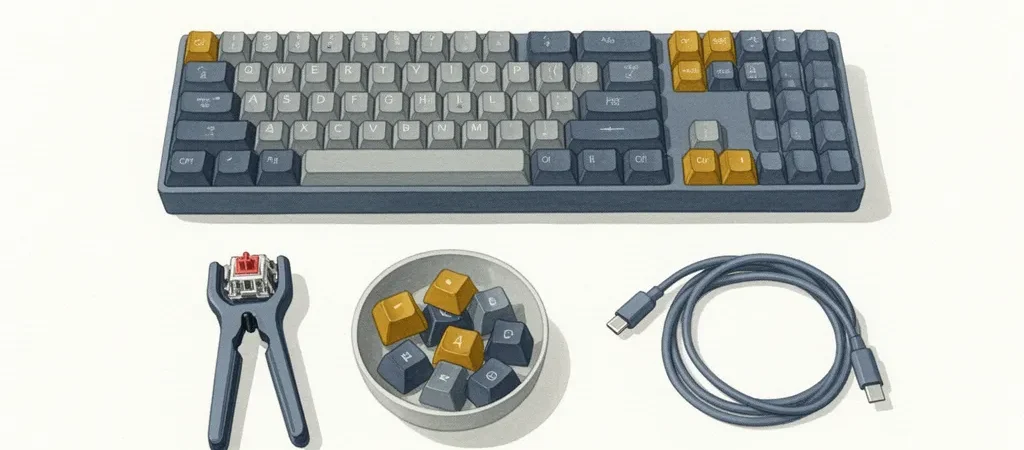
The best first mechanical keyboard gift isn’t the one with the most RGB zones or the biggest price tag. It’s the one that lets the recipient figure out what they actually like — because nobody knows their ideal switch feel until they’ve typed on a few, and no gift-giver can predict it for them.
That’s the problem this guide solves. Instead of a flat ranked list, we’re presenting a fork: pick a board based on how the recipient works (wireless and compact, or wired and full-size), then add a switch sampler so their first weeks with the board become an experiment instead of a guess. Every pick below is hot-swappable, which is the one spec that makes this whole approach possible.
Four products made the final cut here, not eight. That’s by design as much as by circumstance — we’d rather ship a guide where every card is a genuine recommendation than pad it with filler picks. More on that below.
How we select these gifts
- Hot-swap only: Every board here lets you pull and replace switches without a soldering iron. That’s the mechanism that makes “gift a keyboard, let them find their switch” actually work.
- Live image and listing validation: We started with eight candidate boards and switch kits. Four were dropped after their Amazon CDN images returned dead or throttled — we don’t publish product cards with broken images, so those picks were cut rather than shipped with a placeholder. What you see below is what’s actually live on Amazon right now.
- Budget discipline: Every board sits between $80 and $155. That’s intentional — see the “endgame trap” section below for why we stop there for a first gift.
- Pre-built, not barebones: Every board arrives ready to type on out of the box. No soldering, no assembly, no separate switch or keycap purchase required to use it day one.
- Skip-this guidance: Where an obvious-seeming gift (a $250 custom board, a gaming-brand keyboard, a barebones kit) is wrong for a first-timer, we say so directly.
The Three Rules for Gifting a Mechanical Keyboard to a Beginner
Rule one: hot-swap is non-negotiable above $60. Below that price point you’re often looking at a fixed-switch budget board where the tradeoff is understood. Above $60, a soldered board is a missed opportunity — hot-swap sockets cost the manufacturer almost nothing to include, and they’re the difference between a keyboard the recipient uses forever and one they replace in eight months because the switches never felt right.
Rule two: pre-built only, never barebones, for a first gift. Barebones kits — case, plate, PCB, no switches or keycaps included — are a fantastic second purchase once someone knows they’re hooked. As a first gift they’re a burden: the recipient has to source switches and keycaps themselves before the thing even types, and that’s homework, not a gift.
Rule three: stay in the $80–$155 zone. This range buys genuinely good hot-swap hardware — aluminum plates, QMK/VIA programmability, solid stabilizers — without tipping into what the hobby calls the “endgame trap.” More on that trap below, but the short version: high-end boards are optimized for preferences the recipient hasn’t formed yet. Let them earn their way to a $300 board by first learning what they don’t like about a $100 one.
Switch Types Explained: Linear, Tactile, Clicky — Why You Can’t Choose For Someone Else
Mechanical switches fall into three families. Linear switches move smoothly from top to bottom with no bump — quiet-ish, fast, and the default preference for a lot of gamers. Tactile switches have a small bump partway through the keystroke that you feel but don’t necessarily hear — the closest thing to a “typing feel” most beginners describe wanting. Clicky switches add an audible click on top of that tactile bump, and they are the most polarizing switch type that exists in this hobby.
Here’s the problem for gift-givers: switch preference is deeply personal and almost impossible to predict from the outside. Someone who thinks they want a satisfying “clacky” sound might find clicky switches exhausting after an hour. Someone who assumes they want smooth and quiet linear switches might discover they actually crave the tactile feedback. There’s no reliable proxy — not their personality, not what keyboard they had in 2015, not what their favorite YouTuber uses.
This is exactly why hot-swap sockets and a switch sampler matter more than any single switch choice you could make on their behalf. Instead of guessing, you give them the tools to find out. That’s the whole thesis of this guide.
Pick Your Board: Wireless Hot-Swap vs. Budget Wired Hot-Swap
The fork, in one sentence
If the recipient wants to move the keyboard between a laptop, a desktop, and a tablet — or just wants a clean desk with fewer cables — go wireless with the Keychron K2 Pro or Keychron K8 Pro. If they type at one desk all day and want the most board for the least money, go wired with the Glorious GMMK 2 Compact.
Within the wireless option there’s a second, smaller fork: layout. The K2 Pro is a 75% board — it drops the numpad but keeps the arrow keys and function row in a tight, desk-friendly footprint. The K8 Pro is a TKL (tenkeyless, 87-key) board that matches the layout of a standard office keyboard almost exactly, which matters more than it sounds like for someone who touch-types on a full-size board eight hours a day and doesn’t want to relearn where the arrow keys live.

Keychron K2 Pro 75% Wireless Hot-Swap (Brown Switch)
This is the most-recommended first hot-swap board in the hobby, and for good reason: the 75% layout keeps arrow keys and a function row accessible, so someone coming straight off a standard office keyboard doesn’t lose muscle memory. Bluetooth 5.1 pairs with up to three devices, and the board is QMK/VIA programmable if the recipient wants to remap keys down the line. The stock Keychron K Pro Brown switches are tactile and approachable — a solid baseline to compare against once the switch sampler comes out.
- 75% layout is compact without sacrificing arrow keys
- Multi-device Bluetooth pairing plus wired fallback
- Plastic case sounds slightly hollower than the aluminum K8 Pro
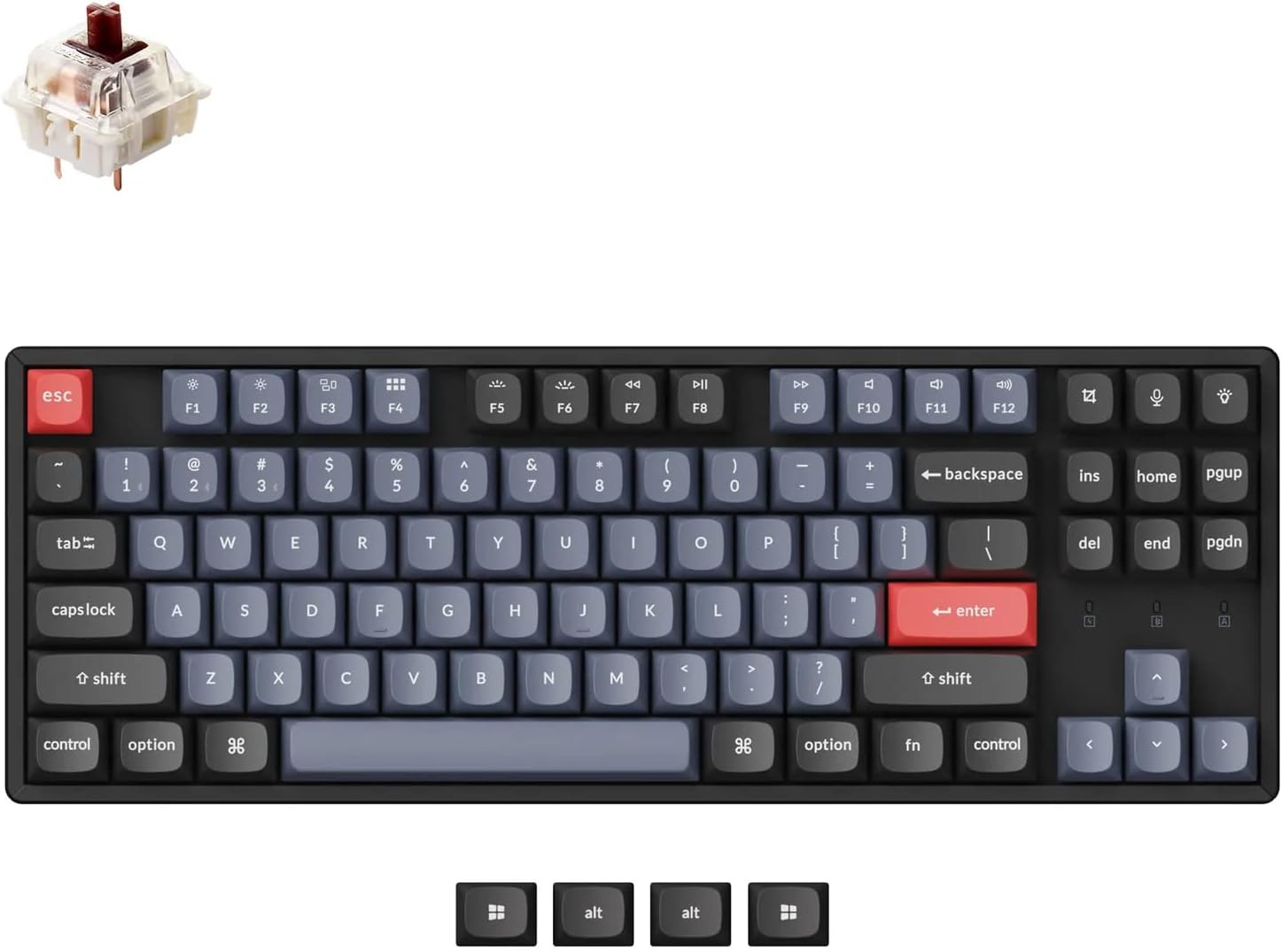
Keychron K8 Pro RGB Aluminum TKL Wireless Hot-Swap
The TKL (87-key) layout matches a standard office keyboard almost key-for-key, which means zero layout shock for someone who types all day and doesn’t want to relearn arrow-key placement. The aluminum case and per-key RGB give a noticeably tighter, less hollow-sounding typing experience than the plastic K8 Pro variants. It runs the same hot-swap sockets and QMK/VIA firmware as the K2 Pro — the layout and the case material are the real differences here.
- Aluminum case improves acoustics and rigidity
- TKL layout requires no adjustment from a standard keyboard
- Larger footprint than the K2 Pro — no help if desk space is tight

Glorious GMMK 2 Compact 65% Hot-Swap
This is the best-value hot-swap board in the guide, full stop. The aluminum top plate gives it real rigidity and heft at $80 — it feels like a more expensive board than it is. The pre-lubed Fox linear switches it ships with are genuinely smooth enough to enjoy stock, before anyone swaps a single switch. Going wired instead of wireless here frees up roughly $45 of headroom versus the Keychron picks — enough to add the switch sampler below without stretching the total gift budget.
- Aluminum top plate at a plastic-board price
- Pre-lubed stock switches feel premium out of the box
- Wired only — no Bluetooth or multi-device pairing
The Switch Sampler: The Smartest Keyboard Gift Most People Have Never Heard Of
The Durock 30-Key Switch Sampler Kit is not a standalone gift — pair it with any board above. On its own it’s a bag of switches; paired with a hot-swap board, it’s the mechanism that turns “here’s a keyboard” into “here’s a way to find out what you actually like to type on.”
Thirty switches spanning linear, tactile, silent, and magnetic types is the broadest beginner survey available under $30. It includes the Durock T1, a switch that shows up constantly in enthusiast recommendation threads as a standout tactile option, alongside quieter silent variants for anyone typing near a partner or roommate. A steel switch puller is included too, so there’s no separate tool purchase standing between the recipient and their first swap.

Durock 30-Key Switch Sampler Kit with Switch Puller
This solves the one problem no gift-giver can solve by guessing: you cannot choose a switch feel for someone else. Thirty switches across linear, tactile, silent, and magnetic types let the recipient run their own comparison, and the included puller means the hot-swap board above is usable for experimentation the day it arrives — no extra tool order, no wait.
- Covers all major switch families, including quiet silent options
- Switch puller included — no extra purchase needed
- Useless without a hot-swap board — always gift alongside one
What Not to Buy: The Endgame Trap and Other Beginner Gift Mistakes
The single most common mistake is what the hobby calls the endgame trap: buying a $250-plus board loaded with premium features — custom-machined cases, exotic switch materials, gasket mounts — before the recipient has formed any preferences at all. Those features solve problems experienced hobbyists have already identified in their own typing. A beginner has no basis to appreciate them yet, and the money would do more for the hobby split between a solid $100 board and a $25 switch sampler.
Soldered, fixed-switch boards are the next mistake. They lock the recipient into whatever switch the manufacturer chose, which defeats the entire point of gifting a mechanical keyboard to someone still discovering their preference. Barebones kits have the opposite problem — they require the recipient to source switches and keycaps before the board even functions, turning a gift into a shopping list.
Clicky switches as a default choice are a subtler trap. They’re loved by a real slice of the hobby, but they’re also the most likely switch type to generate a noise complaint from a partner, roommate, or open-office neighbor. Don’t default to clicky for a first gift unless you know the recipient’s workspace can handle it — this is exactly why the sampler includes quieter options instead of committing to one loud switch type.
Last: big-box gaming-brand mechanical keyboards — Razer, Corsair, Logitech’s gaming lines — often use proprietary switch mounts that don’t accept standard aftermarket switches. They look like they belong in this hobby, but they sit outside its ecosystem, and the recipient will hit a wall the moment they want to experiment.
What to skip
Skip anything soldered, skip barebones kits as a first gift, and skip $250+ boards until the recipient has spent real time with a $100 hot-swap board and formed an opinion. Skip gaming-brand keyboards with proprietary switches — they photograph well but dead-end the hobby experience. And don’t default to clicky switches without knowing the recipient’s workspace tolerates the noise.
Closing: The Simple Decision Path
Pick a board based on how the recipient actually works. Wireless and compact means the Keychron K2 Pro; wireless with a familiar full-size layout means the Keychron K8 Pro; wired and best value means the Glorious GMMK 2. Add the Durock switch sampler regardless of which board you choose — it’s the piece that turns a keyboard into an experiment instead of a guess.
What this gift actually gives someone is permission to care about a tool they use for hours every day without having to justify the rabbit hole to anyone. What it signals from you is that you paid attention to how they work, not just what looked impressive in a listing photo.
If you’re still torn between two boards, default to the cheaper one and put the savings into the sampler. A $100 board with thirty switches to test teaches more about what someone likes than a $180 board they never got to compare against anything.